Firmlock: Strict App Blocker
Closes the apps you choose until the time you set.
No account. Firmlock collects no data, and it can't see which apps you pick: that stays in Screen Time on your iPhone.

For iPhone with iOS 26.4 or later. Firmlock works through Apple's Screen Time, so there is no Android version. Not available in the EU yet.
- No account needed
- No ads
- Collects no data
- Works offline
- iPhone · iOS 26.4 or later
Screenshots
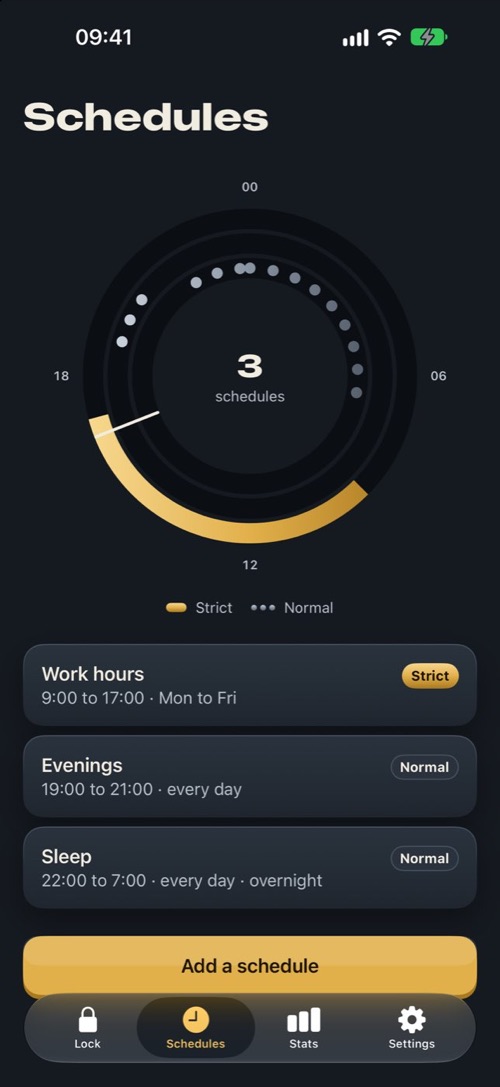
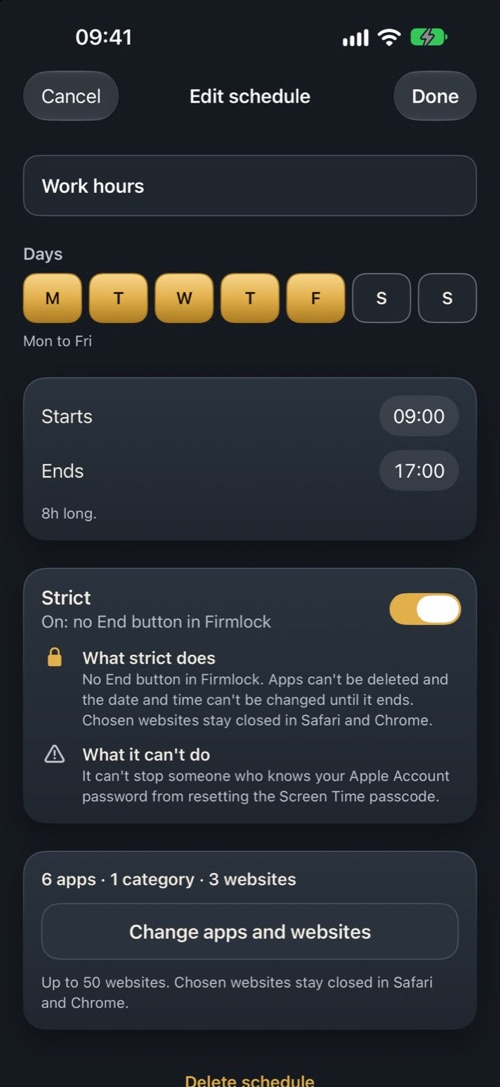
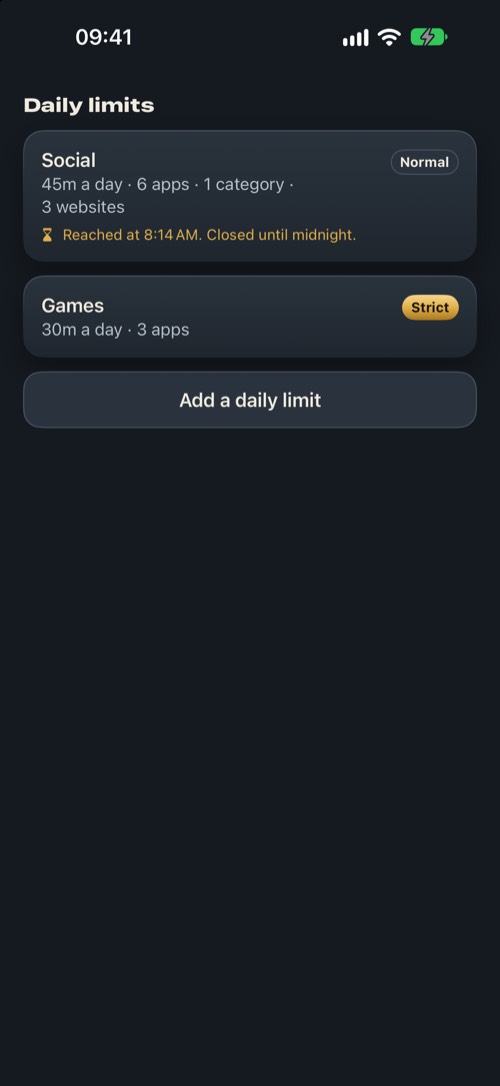
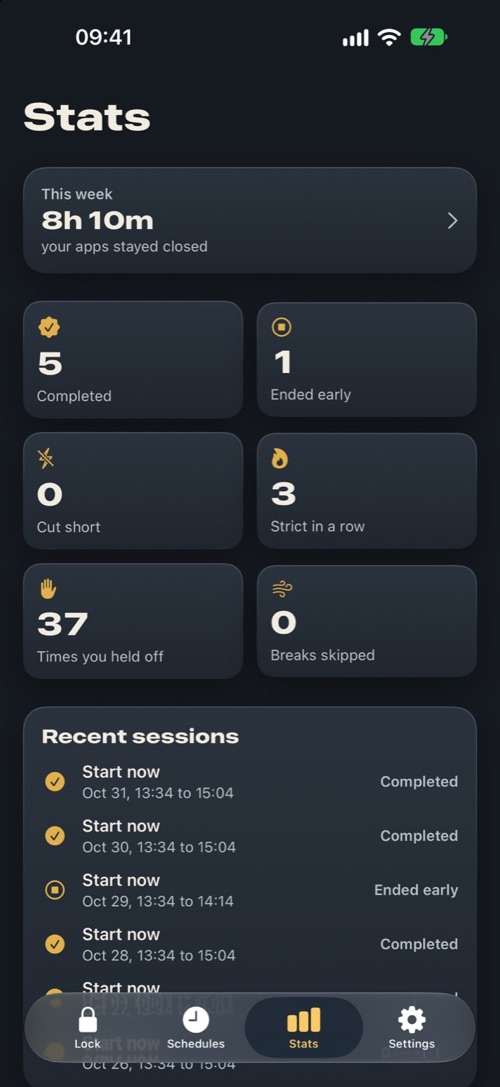
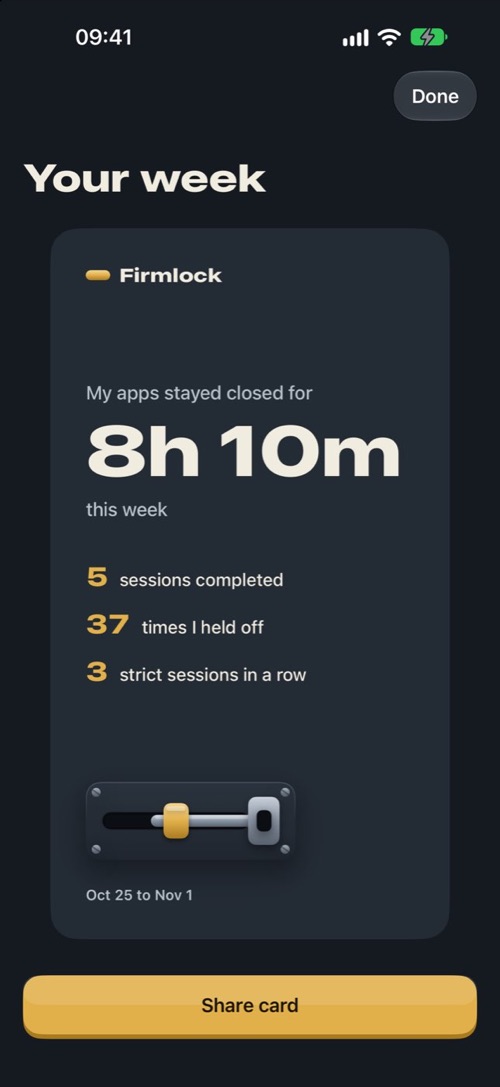
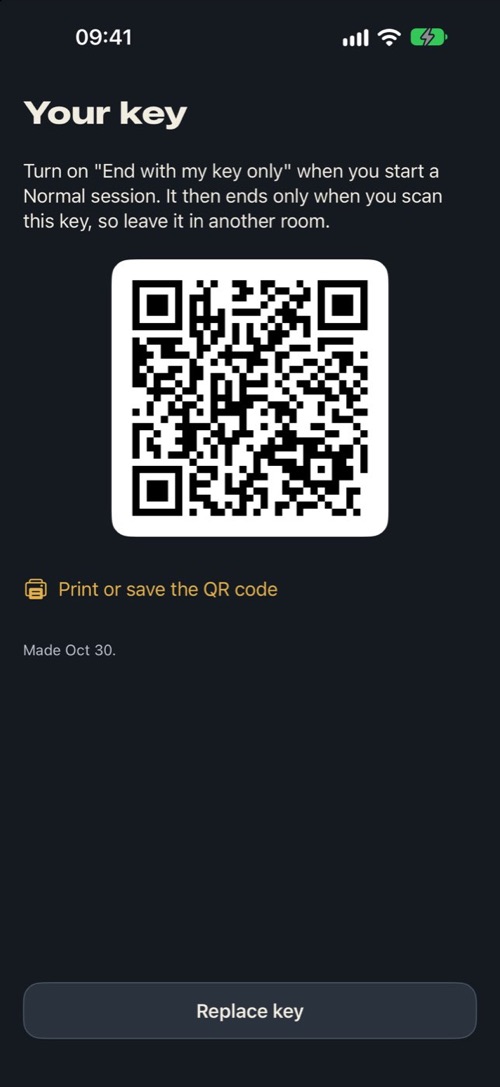
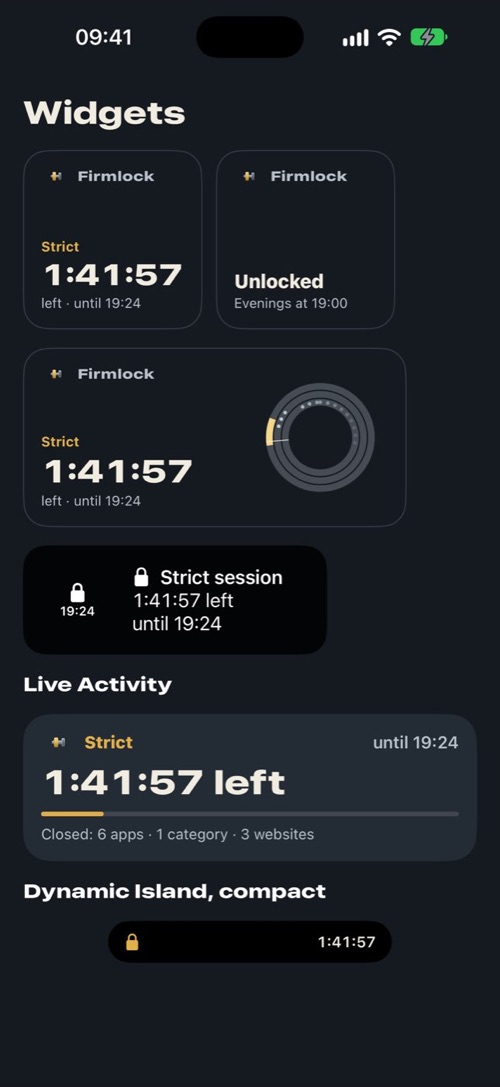
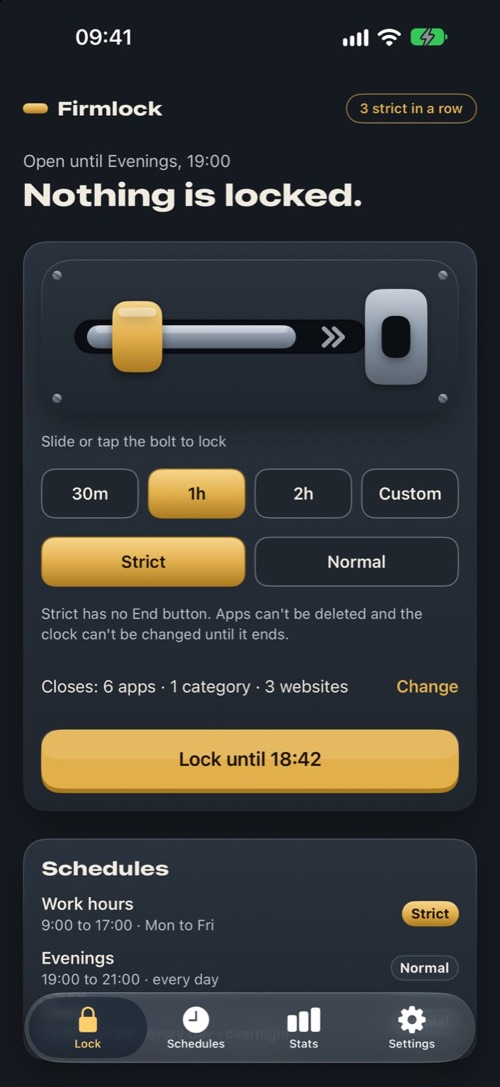
Pick the apps, app categories and websites that eat your time. Then lock them now for a set length, on a schedule that repeats on the days you choose, or with a daily time limit. A schedule starts and ends on time even when Firmlock is closed. While a session runs, those apps show a shield that says when they open again.
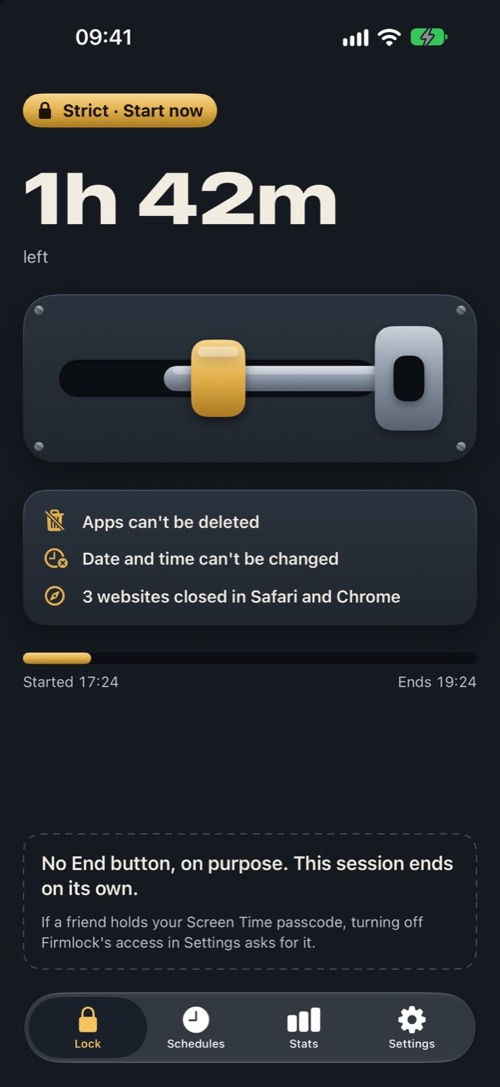
Sessions are Normal or Strict. In a Normal session you can still end early or take a short break. A Strict session has no End button in Firmlock, and until it ends no app can be deleted and the date and time can't be changed.
Strict sessions
- No End button and no breaks. The session ends at the time you set.
- While it runs, no app can be deleted and the date and time can't be changed. Chosen websites stay closed in every browser.
- Want it firmer? Firmlock can make a 4-digit Screen Time passcode for a friend to keep, so turning off its access in Settings asks for their passcode.
Schedules
- Up to 15 schedules, each with its own days, hours, apps and mode. Overnight hours like 22:00 to 7:00 work too.
- Making a strict schedule looser takes effect 24 hours later, and never in the middle of its hours. Making it stricter takes effect right away.
Daily limits
- Give a group of apps, categories and websites a time budget, from 5 minutes to 12 hours a day. When it runs out, they stay closed until midnight.
- A limit is strict or normal, like a session. Loosening a strict limit takes effect 24 hours after you change it.
Normal sessions
- End early any time, or take up to 3 breaks a day of 15 minutes each. A 20-second breathing pause comes first.
- For a session you can't end from the couch, turn on End with my key only. It ends early only when you scan your key: an NFC sticker or a printed QR code in another room.
Honest numbers
- If Screen Time access is turned off mid-session, Firmlock records the session as cut short instead of completed.
- Stats count completed sessions, strict sessions in a row and how often you went back from a shield. The weekly card shows these numbers and no app names.
- Widgets, a Live Activity and a Control Center button show what's locked and until when.
Guides
Step by step, with what iOS can do by itself first:
- How to block a website on iPhone in every browser, Chrome included
- How to block TikTok on iPhone, the app and the website
- How to stop scrolling on your iPhone at night
- How to get rid of Ignore Limit in Screen Time
- How to turn your iPhone into a dumb phone, and back
- How to lock apps on iPhone so you can't open them for a while
- How to block YouTube on iPhone, the app and the website
- How to block Instagram on iPhone without deleting it
- How to block distracting apps on iPhone while you study
Pricing
Firmlock needs Firmlock Pro. The yearly plan starts with 14 days free.
Yearly
$29.99
a year, after 14 days free
Monthly
$4.99
a month, no free trial
Lifetime
$79.99
once, no subscription
Prices are in US dollars; the App Store shows your local price. Payment is charged to your Apple Account when you confirm the purchase, or when the free trial ends. Subscriptions renew automatically unless you cancel at least 24 hours before the end of the trial or the current period. To cancel, open Settings on your iPhone, tap your name, then Subscriptions; or tap Manage subscription in Firmlock's Settings. Lifetime is a one-time purchase. Buying Firmlock Pro means agreeing to Apple's Terms of Use (standard EULA), our terms and our privacy policy.
Contact
Questions, a bug, or an idea? Email firmlock@doguberko.com. Please include your iPhone model and iOS version, and for a session that misbehaved, its name and the time it should have started or ended.
Help
How do I block apps on my iPhone with Firmlock?
Open Firmlock and pick the apps, app categories and websites you want closed. Then choose a length on the home screen and slide the bolt to lock them now, or make a schedule that repeats on the days you choose. A schedule starts and ends on time even when Firmlock is closed, and blocked apps show a shield that says when they open again.
Is there an app blocker I can't turn off?
That's what a Strict session in Firmlock is for. It has no End button and no breaks, and while it runs no app can be deleted and the date and time can't be changed, so it lasts until the time you set. iOS keeps one way out: turning off Firmlock's Screen Time access in Settings. Firmlock records that session as cut short, and if a friend holds your Screen Time passcode, turning access off asks for it.
Does Firmlock keep blocking when the app is closed?
Yes. Blocks run through Apple's Screen Time, so a schedule starts and ends on time while Firmlock is closed, and a daily limit closes its apps when the time runs out. If Screen Time access is turned off, Firmlock can't block anything and tells you so.
Can Firmlock block websites without a VPN?
Yes. The websites you pick close in every browser through Apple's Screen Time. Firmlock doesn't install a VPN, and it has no server.
Can I set a daily time limit for apps?
Yes. Give a group of apps, categories and websites a budget of 5 minutes to 12 hours a day. When it runs out, they stay closed until midnight. Loosening a strict limit takes effect 24 hours after you change it.
Will I be charged when the free trial ends?
Only if you keep the yearly plan. It starts with 14 days free, and if you allow notifications, Firmlock reminds you 2 days before the trial ends. Cancel at least 24 hours before the trial ends and you won't be charged.
Do I need an account?
No. There is no account or sign-in. Firmlock asks for Screen Time access when you first open it, and that's all it needs.
What's the difference between Strict and Normal?
A Normal session has an End button and up to 3 breaks a day of 15 minutes each, with a 20-second pause before a break starts. A Strict session has no End button and no breaks, and while it runs no app can be deleted and the date and time can't be changed. It ends at the time you set.
Can a strict session be bypassed?
Not from Firmlock: there is no End button. iOS still lets you turn off Firmlock's Screen Time access in Settings, which opens your apps and counts the session as cut short. If a friend holds your Screen Time passcode, turning off access asks for that passcode, but someone who knows your Apple Account password can still reset it. Pick strict sessions you can live with.
Does Firmlock see which apps I use?
No. Apple's Screen Time gives Firmlock a token for each app or website you pick, not its name, and today's screen time is drawn by an Apple extension that can't send anything out. Firmlock has no server, so nothing leaves your iPhone. More in the privacy policy.
How does the key work?
In Settings, write your key to an NFC sticker or print its QR code, and leave it in another room. Turn on End with my key only when you start a Normal session, and the session ends early only when you scan the key. Apps can't be deleted while that session runs either. A printed QR code works as well as a sticker, so you don't need to buy anything.
What if I lose my key?
The session still ends at the time you set. After that, open Settings › Key and tap Replace key. Firmlock doesn't make a new key while a session that needs the old one is running.
Why are my apps still blocked after a session ended?
Open Firmlock, go to Settings › Apps still closed? and tap Open them. It opens everything Firmlock closed; a schedule that's on right now closes its apps again. It works only when no session is running.
Why does a session say cut short?
Screen Time access was turned off while it ran, so Firmlock couldn't keep your apps closed. Firmlock records that instead of counting the session as completed. Tap Turn access back on to let it close apps again.
What does Firmlock cost?
Firmlock needs Firmlock Pro: $29.99 a year with a 14-day free trial, $4.99 a month, or $79.99 once for lifetime access. Prices are in US dollars; the App Store shows your local price.
What happens when Firmlock Pro ends?
Schedules stop starting new sessions, and you can't start one from the home screen. A session that's already running finishes as planned. Refunds are handled by Apple at reportaproblem.apple.com.
How do I cancel?
Open Settings on your iPhone, tap your name, then Subscriptions, and choose Firmlock Pro. You can also tap Manage subscription in Firmlock's Settings. Cancel at least 24 hours before the trial or the current period ends to avoid the next charge.
How do I move Firmlock to a new iPhone?
Tap Restore purchases in Firmlock's Settings while signed in to the same Apple Account. Firmlock has no account, sync or export, so set up your apps and schedules again on the new iPhone.
Which iPhones does Firmlock work on?
Any iPhone with iOS 26.4 or later. There is no iPad or Android version.